ویدیو
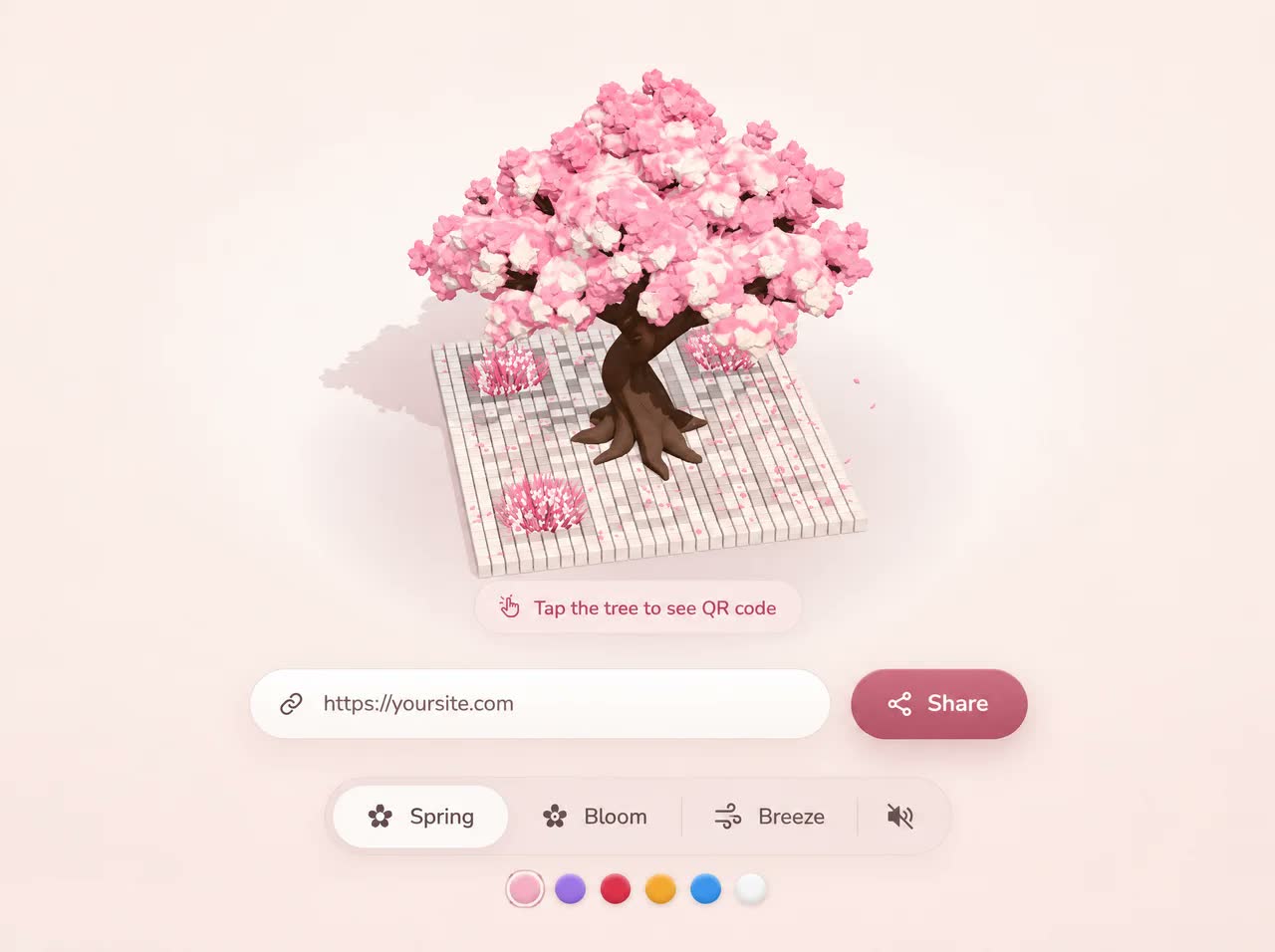
Sakura QR
رایگان
دستهبندی
- نمایش پرامپت رایگان — متن کامل پرامپت همین حالا و بدون خرید باز میشود.
- این سایت رو میخوام — همان آیتم بهصورت یک سایت آمادهٔ انتشار، طراحی و راهاندازیشده. قیمت: تومان 5.000.000
Sakura QR
MS-TEM-435متن زیر را کامل کپی کنید و در نسخهٔ Pro ابزارهای Claude Code یا GPT Codex بچسبانید تا همان صفحه ساخته شود. بدون اشتراک Pro این ابزارها، پرامپت کامل اجرا نمیشود.
Build a single standalone HTML file (index.html): a dark-mode hero section for an AI assistant called "Iris", with an interactive 3D robot mascot rendered in Three.js. The robot's whole head turns toward the mouse, its pupils follow the cursor, and its two floating arms bob up and down. Everything goes in ONE file (inline CSS + one inline <script type="module">). It must be fully mobile responsive with no horizontal scroll.

==================================================
1. EXTERNAL RESOURCES (use exactly these)
==================================================
Font (Google Fonts):
<link rel="preconnect" href="https://fonts.googleapis.com" />
<link rel="preconnect" href="https://fonts.gstatic.com" crossorigin />
<link href="https://fonts.googleapis.com/css2?family=Figtree:wght@400;500;600;700;800&display=swap" rel="stylesheet" />

Import map (Three.js r169 from jsDelivr):
<script type="importmap">
{ "imports": {
  "three": "https://cdn.jsdelivr.net/npm/three@0.169.0/build/three.module.js",
  "three/addons/": "https://cdn.jsdelivr.net/npm/three@0.169.0/examples/jsm/"
} }
</script>

Imports in the module:
THREE from "three"; GLTFLoader from "three/addons/loaders/GLTFLoader.js"; EffectComposer, RenderPass, UnrealBloomPass, OutputPass from "three/addons/postprocessing/..."; mergeVertices from "three/addons/utils/BufferGeometryUtils.js".

3D models (Higgsfield-generated GLB files on CloudFront, CORS-enabled; load these exact URLs directly):
const HEAD_GLB = "https://d8j0ntlcm91z4.cloudfront.net/user_38xzZboKViGWJOttwIXH07lWA1P/hf_20261018_172206_0181329a-86e2-41c9-8ab8-c496f29aaa53.glb";
const ARM_GLB  = "https://d8j0ntlcm91z4.cloudfront.net/user_38xzZboKViGWJOttwIXH07lWA1P/hf_20261018_172137_cd6086ec-07ef-44dc-bd15-95a450ddaa8c.glb";
HEAD_GLB = spherical robot head with ear caps and two antenna rods (one mesh, ~9 MB). ARM_GLB = one smooth pill/egg-shaped arm (one mesh), used twice.

<title>Iris — Smart AI Assistant</title>, <meta name="color-scheme" content="dark">, viewport meta with viewport-fit=cover.

==================================================
2. HTML STRUCTURE
==================================================
<header class="nav" id="nav">
  <div class="nav-inner">
    <a class="brand" href="#"><span class="brand-orb"></span>Iris</a>
    <div class="nav-right">
      <nav class="nav-links"> Overview · Ecosystem · Socials · Help (4 <a href="#">) </nav>
      <a class="btn-open" href="#">Get Iris</a>
      <button class="menu-btn" id="menuBtn" aria-label="Menu" aria-expanded="false"><span></span></button>
    </div>
    <div class="mobile-panel"> same 4 links </div>
  </div>
</header>
<main class="hero" id="hero">
  <canvas id="stage" aria-hidden="true"></canvas>
  <div class="loader" id="loader"></div>
  <div class="hero-inner">
    <div class="copy">
      <h1 class="reveal d1">Introducing a<br />Smart AI Assistant</h1>
      <p class="sub reveal d2">Easy to start. Effortless to explore.<br />Capable in every conversation.</p>
      <a class="btn-try reveal d3" href="#">Start free</a>
    </div>
  </div>
</main>

==================================================
3. CSS (exact values)
==================================================
:root { --bg:#0b0b11; --nav:#12131a; --line:rgba(255,255,255,0.06); --text:#fff; --muted:#a3a3b2; --link:#c8c8d4; --violet:#7c4dff; --violet-2:#8f66ff; --nav-h:62px; }
* { box-sizing:border-box; margin:0; padding:0 }
html, body { background:var(--bg); color:var(--text) }
body { font-family:"Figtree", system-ui, -apple-system, "Segoe UI", sans-serif; -webkit-font-smoothing:antialiased; overflow-x:hidden }
a { color:inherit; text-decoration:none }

NAV
.nav: position fixed, top/left/right 0, z-index 20, height var(--nav-h), background rgba(18,19,26,0.86), backdrop-filter blur(14px) (+ -webkit-), border-bottom 1px solid var(--line).
.nav-inner: max-width 1344px, height 100%, margin 0 auto, padding 0 68px, flex, align-items center, justify-content space-between.
.brand: flex, gap 11px, font-weight 600, 21px, letter-spacing -0.01em.
.brand-orb: 26×26 circle, background radial-gradient(circle at 32% 28%, #c9b8ff 0%, #8b6cff 38%, #5b3df0 72%, #3a24b8 100%), box-shadow 0 0 14px rgba(124,77,255,.55), inset -2px -3px 6px rgba(20,8,70,.55).
.nav-right: flex, align center, gap 30px.
.nav-links: flex, gap 38px, 14px, weight 500, color var(--link); hover → #fff (transition color .2s).
.btn-open: background #fff, color #0b0b11, weight 600, 14px, padding 10px 19px, radius 999px; hover translateY(-1px) + box-shadow 0 6px 20px rgba(255,255,255,.15).
.menu-btn: display none by default; 40×40, radius 12px, background rgba(255,255,255,.06), border 1px solid var(--line). Hamburger icon = the <span> plus ::before/::after: three 16×1.6px white bars spaced 5px apart. When .nav has class .open: span turns transparent, ::before rotates 45deg and ::after -45deg (top 0) to form an X.
.mobile-panel: display none; position absolute, top calc(var(--nav-h) + 8px), left/right 16px, background rgba(20,21,30,.96), 1px border var(--line), radius 18px, padding 8px, flex-direction column, box-shadow 0 20px 50px rgba(0,0,0,.5). Links: padding 14px 16px, radius 12px, weight 500, color var(--link); hover background rgba(255,255,255,.05), color #fff. .nav.open .mobile-panel → display flex. JS: clicking #menuBtn toggles .open on #nav and updates aria-expanded.

HERO
.hero: position relative, min-height 100vh AND 100svh, overflow hidden, isolation isolate.
#stage: position absolute, inset 0, 100%×100%, display block, z-index 0, touch-action pan-y.
.hero::after (z-index 1, pointer-events none, inset 0): background = repeating-linear-gradient(90deg, rgba(255,255,255,.012) 0 1px, transparent 1px 7px) (faint vertical lines) layered with radial-gradient(120% 80% at 50% 0%, transparent 55%, rgba(0,0,0,.45) 100%) (vignette).
.hero-inner: relative, z-index 2, pointer-events none, max-width 1344px, margin 0 auto, min-height inherit, padding calc(var(--nav-h) + 40px) 68px 80px, flex column, justify-content center.
.copy: max-width 600px, pointer-events auto.
h1: font-size clamp(40px, 5.1vw, 70px), line-height 1.04, weight 700, letter-spacing -0.025em.
.sub: margin-top 26px, color var(--muted), font-size clamp(17px, 1.65vw, 22px), line-height 1.55, weight 400.
.btn-try: inline-flex centered, margin-top 36px, height 59px, padding 0 38px, radius 999px, background linear-gradient(180deg, #8f66ff, #7c4dff), color #fff, weight 600, 20px, letter-spacing -0.005em, box-shadow ONLY inset 0 1px 0 rgba(255,255,255,.22) (NO outer glow), transition transform .25s. Hover: translateY(-2px) + filter brightness(1.08).
Reveal animation: .reveal starts opacity 0, translateY(18px), animation "rise" .9s cubic-bezier(.2,.7,.2,1) forwards; delays .d1 .08s, .d2 .2s, .d3 .32s; @keyframes rise { to { opacity:1; transform:none } }.
.loader: absolute, z-index 2, 46×46 circle, border 2px solid rgba(143,102,255,.18), border-top-color #8f66ff, spin 1s linear infinite (keyframes keep translate(-50%,-50%) and rotate 360deg), transform translate(-50%,-50%), transition opacity .5s; .hide → opacity 0. JS positions it at the robot anchor point.

RESPONSIVE
@media (max-width:1100px): .nav-inner and .hero-inner left/right padding 40px; .nav-links gap 26px.
@media (max-width:860px): hide .nav-links; show .menu-btn (inline-flex); .nav-right gap 10px; .hero-inner justify-content flex-end, text-align center, align-items center, padding calc(var(--nav-h) + 20px) 24px 56px; .copy max-width 560px; h1 font-size clamp(36px, 9.2vw, 56px); .sub margin-top 16px; .btn-try margin-top 26px. (Text sits at the bottom, robot above it.)
@media (max-width:480px): .nav-inner padding 0 16px; .hero-inner padding calc(var(--nav-h) + 16px) 16px 40px; .brand 19px; .btn-open padding 9px 15px, 13px; .btn-try height 54px, padding 0 32px, 18px.
@media (prefers-reduced-motion: reduce): .reveal no animation, fully visible.

==================================================
4. THREE.JS SCENE
==================================================
Renderer: WebGLRenderer({ canvas:#stage, antialias:true, powerPreference:"high-performance" }), pixelRatio min(devicePixelRatio, 2), ACESFilmicToneMapping, exposure 1.0, SRGBColorSpace. scene.background = #0b0b11.
Camera: PerspectiveCamera(fov 28, near 0.1, far 100).

Helper radialTexture(stops, size=256): canvas radial gradient from centre to edge with the given [offset, color] stops → CanvasTexture (SRGB).
glowTex = radialTexture([[0,"rgba(160,120,255,1)"],[0.25,"rgba(124,77,255,.55)"],[0.6,"rgba(90,50,230,.12)"],[1,"rgba(60,30,200,0)"]]).

Environment (a dark studio, NOT RoomEnvironment): build a separate scene with background #030305 and emissive "softboxes" made from SphereGeometry(0.5,32,16) meshes with MeshBasicMaterial(color × intensity), each scaled (w, h, 0.3) and lookAt(0,0,0):
 - white  5×3.2 at (-3, 4.5, 4) ×3.2  (key, top-left)
 - white  1.2×6 at (6, 0.5, 2)  ×1.1  (strip, right)
 - white  3×1   at (1.5, 5, -1) ×0.8  (top)
 - #7c4dff 4×5  at (-5, 0, -4)  ×1.0  (violet back-left)
 - #7c4dff 4×5  at (5, 0, -4)   ×1.0  (violet back-right)
 - #5b30ff 6×3  at (0, -5, 1)   ×0.35 (violet floor bounce)
scene.environment = PMREMGenerator.fromScene(envScene, 0.02).texture; environmentIntensity 1.0.
Use round softboxes (spheres), not planes, and NO point lights: both cause square bloom artifacts.

Lights: HemisphereLight(0xdcd8f0, 0x1a0f3a, 2.3) + DirectionalLight(0xffffff, 0.55) at (-3, 4, 5).

Post-processing: EffectComposer → RenderPass → UnrealBloomPass(strength 0.55, radius 0.4, threshold 0.92) → OutputPass. Resize the composer and bloom with the canvas.

Fresnel rim shader rimMaterial(color, power, strength): ShaderMaterial, additive blending, transparent, depthWrite false. Vertex: pass the view-space normal and view direction. Fragment: f = pow(1 - max(dot(N, V), 0), power); gl_FragColor = vec4(color*f*strength, f). Added as a child "shell" mesh sharing each model mesh's geometry (renderOrder 2) for the lavender edge light.

Rig: robot (Group: float/bob/intro scale) → body (Group: partial turn, holds the arms) → head (Group: full turn).

Background haze: Sprite(glowTex, color 0x7a55ff, opacity 0.06, additive, toneMapped false, depthWrite false), scale 7.5, position (0, 0.1, -3).
Floor glow: PlaneGeometry(1,1) facing the camera (NOT laid flat), MeshBasicMaterial(glowTex, color 0x8f6bff, opacity 0.95, additive, depthWrite false), position (0, -2.05, -0.6), scale (3.4, 0.42).

==================================================
5. MODEL PREP
==================================================
prepareModel(root, {glossy, rim, tint, useMap, smooth}): collect the meshes FIRST into an array, then loop over it (adding children inside traverse recurses forever). If smooth: clone the geometry, delete normal/uv/uv1/tangent/color, mergeVertices(g, 1e-3), computeVertexNormals. Replace the material with MeshPhysicalMaterial: map only if useMap; color = tint; glossy → metalness 0.1, roughness 0.3, clearcoat 1.0, clearcoatRoughness 0.16, envMapIntensity 0.9; non-glossy → metalness 0, roughness 0.48, clearcoat 0.3, clearcoatRoughness 0.4, envMapIntensity 0.55. Add the rim shell if rim is given.

HEAD: normaliseHead → scale so bbox depth (size.z) = 2, then position = (-centre.x, -(min.y + 1), -centre.z) so the sphere centre is at the origin. prepareModel with glossy:true, useMap:false (ignore the baked texture), tint "#4a4a56", rim {0x8a5cff, power 4.5, strength 0.32}.
Then in mountHead:
 a) Raycast from (0,0,5) toward -Z; R = clamp(hit distance from origin, 0.85, 1.1) (sphere radius).
 b) sphereNormals: for every vertex whose distance from the head centre is within 7% of R, set its normal to the normalised position (converted with the mesh's inverse-transpose matrix), so reflections are perfectly smooth.
 c) addVisor(R): build a rounded-rectangle Shape, tessellate it (ShapeGeometry(shape, 48) → non-indexed → 3 rounds of 4-way midpoint subdivision), then wrap every vertex onto the sphere: z = sqrt(radius² - x² - y²); normals = normalised positions.
    - bezel: w 1.86, h 1.12, corner 0.46, centreY -0.07, radius R×1.03, MeshPhysical color #0c0c10, roughness 0.3, metalness 0.3, clearcoat 0.8, polygonOffset factor/units -6, renderOrder 3.
    - glass: w 1.74, h 1.0, corner 0.4, centreY -0.07, radius R×1.036, MeshPhysical color #000000, roughness 0.12, clearcoat 1, clearcoatRoughness 0.1, envMapIntensity 0.9, polygonOffset -8/-8, renderOrder 4.
 d) Eyes (procedural so they can track): at x = ±0.43, y = -0.08, z = sqrt((R×1.055)² - x² - y²); orient each eye group with quaternion.setFromUnitVectors((0,0,1), position.normalize()). Each eye group contains:
    - halo: CircleGeometry(0.42) with glowTex, color 0x8a5cff, opacity 0.24, additive, z -0.004, renderOrder 9
    - ring: RingGeometry(0.168, 0.212, 64), MeshBasic color new THREE.Color(1.1, 0.88, 2.0)
    - iris: CircleGeometry(0.17), map = radialTexture([[0,"#d7c9ff"],[0.45,"#a07bff"],[0.8,"#7646f2"],[1,"#5c2fe0"]]), color (1.0, 0.95, 1.15), z 0.001
    - pupilWrap group (moves with the cursor): pupil CircleGeometry(0.083) #07040f at z 0.003, plus a white glint CircleGeometry(0.022) at (0.032, 0.034, 0.005)
    - ALL eye materials: toneMapped false, depthWrite false, depthTest false, renderOrder 10, so the eyes are never hidden behind the visor glass when the head turns.
 e) Antenna balls: collect head-local vertices with y > 0.75 and |x| > 0.15; per side, find the top-most point, average the vertices within 0.2 of it to get the ball centre (y at least top.y - 0.1). Add there a SphereGeometry(0.118) with MeshPhysical color #8b62ff, emissive #6a3dff, emissiveIntensity 1.5, roughness 0.22, clearcoat 1, clearcoatRoughness 0.14, plus a glow Sprite(glowTex, color 0x9a6bff, opacity 0.85, additive, scale 0.5).

ARMS: prepareModel(arm, glossy:false, useMap:false, smooth:true, tint "#1d1d23", rim {0x8a5cff, power 2.6, strength 1.05}). Make the copies BEFORE normalising: [tpl, tpl.clone(true)]. normaliseArm: scale so bbox height = 0.78, centre it, wrap in a Group. Rest poses (children of body):
 left:  x -1.32, y -0.72, z 0.15, rotation.z -0.62, phase 0
 right: x  1.32, y -0.72, z 0.15, rotation.z  0.62, phase π×0.85

FALLBACK (if a GLB fails to load): head = SphereGeometry(1) MeshPhysical #2c2c35 (roughness 0.26, clearcoat 1) with cylinder ear caps, antenna rods and violet balls plus rim shells; arms = CapsuleGeometry(0.22, 0.42) #1b1b21 with rim. The visor and eyes are still added by mountHead.
Load both with Promise.allSettled, then hide the loader, set robot.scale to 0.001 and start the intro.

==================================================
6. LAYOUT (robot placement)
==================================================
ResizeObserver on #hero → layout(): W, H = hero size; isMobile = W <= 860; set renderer/composer/bloom size.
Desktop: robotPx = min(H×0.62, W×0.4, 640); anchor = (W×0.695, H×0.5 + 8).
Mobile: copyTop = .copy top relative to the hero; room = max(copyTop - 62, 220); robotPx = min(room×0.92, W×0.82); anchor = (W/2, 62 + room×0.5).
camera.position.z = (3.4 × H) / (robotPx × 2 × tan(fov/2)); camera.setViewOffset(W, H, W/2 - anchor.x, H/2 - anchor.y, W, H) (shifts the robot to the anchor without moving the camera); updateProjectionMatrix; put the loader at the anchor.

==================================================
7. INTERACTION + ANIMATION (requestAnimationFrame loop)
==================================================
Pointer: listen on window for pointermove, pointerdown and touchmove (passive). target.x = clamp((clientX - anchor.x) / rx, -1.2, 1.2), target.y = clamp((clientY - anchor.y) / ry, -1.2, 1.2), with rx = max(W×0.55, 500) and ry = max(H×0.55, 400) on desktop, or W×0.5 and H×0.5 on mobile. Record the time of the last move.
Idle: if there was no move for 3.5 s, target.x = sin(t×0.45)×0.45, target.y = sin(t×0.31 + 1.2)×0.2 (looks around slowly).
Smoothing: look += (target - look) × (1 - 0.0025^dt), with dt capped at 0.05.
Intro pop: intro goes 0→1 at dt×1.4; scale = 1 + 2.4(k-1)³ + 1.4(k-1)² (ease-out-back).
m = 0.25 if prefers-reduced-motion, else 1.
bob = sin(t×1.6)×0.09×m → robot.position.y.
head.rotation: y = look.x×0.5, x = look.y×0.42, z = -look.x×0.06 + sin(t×1.1)×0.015×m.
body.rotation: y = look.x×0.28, x = look.y×0.12.
Arms, per arm: w = sin(t×2.0 + phase); position.y = restY + w×0.13×m - bob×0.35; position.x = restX + sign(restX)×look.x×-0.04; rotation.z = restRz + w×0.12×sign(restX)×m; rotation.x = sin(t×1.3 + phase)×0.08×m.
Pupils: pupilWrap.position = (clamp(look.x×0.075, ±0.07), clamp(-look.y×0.06, ±0.06), 0).
Blink every 2.5–6 s (random): eye scale.y goes 1 → 0.08 → 1 over 0.32 s.
Floor glow follows the bob: scale (3.4 - bob×3, 0.42 - bob×0.4), opacity 0.7 + (0.09 - bob)×1.5. Antenna glow opacity = 0.7×(0.85 + sin(t×1.6)×0.15) + 0.15.
Pause rendering with an IntersectionObserver when the hero is off-screen. Render with composer.render().

==================================================
8. LOOK & FEEL CHECKLIST
==================================================
- Near-black page (#0b0b11). Big bold white two-line headline "Introducing a / Smart AI Assistant" on the left, grey subline, violet pill button "Start free" with no glow. Glossy charcoal spherical robot on the right half, vertically centred.
- The robot reads as polished dark-graphite plastic with smooth curved reflections, a clearly darker glossy black glass visor, two lavender-ringed violet eyes with a soft (not overpowering) glow, violet glowing antenna balls, a faint lavender edge light, a subtle violet haze behind it and a soft violet ellipse glow under it.
- On ≤860px: hamburger menu, robot centred at the top, text and button centred at the bottom, no horizontal scroll down to 360px wide.شرایط و تحویل
دانلوددسترسی فوری پس از پرداخت
مالکیتاستفادهٔ تجاری مادامالعمر
آپدیتبهروزرسانیهای کتابخانه رایگان
پشتیبانیراهنمای نصب و پاسخ به سؤالات
امتیاز و نظرها
0.0/5
0 نظر ثبتشده
نظرتان را بنویسید
تجربهتان از این آیتم را با دیگر مشتریان به اشتراک بگذارید.